moral story for kids
Detailed Description
Runway, Leonardo, ElevenLabs, and InShot for a project like the one you saw (generating visuals, a voice-over, and final editing).
1. Runway (AI Video Generation & Editing)
Runway is your primary tool for generating and manipulating video clips.
|
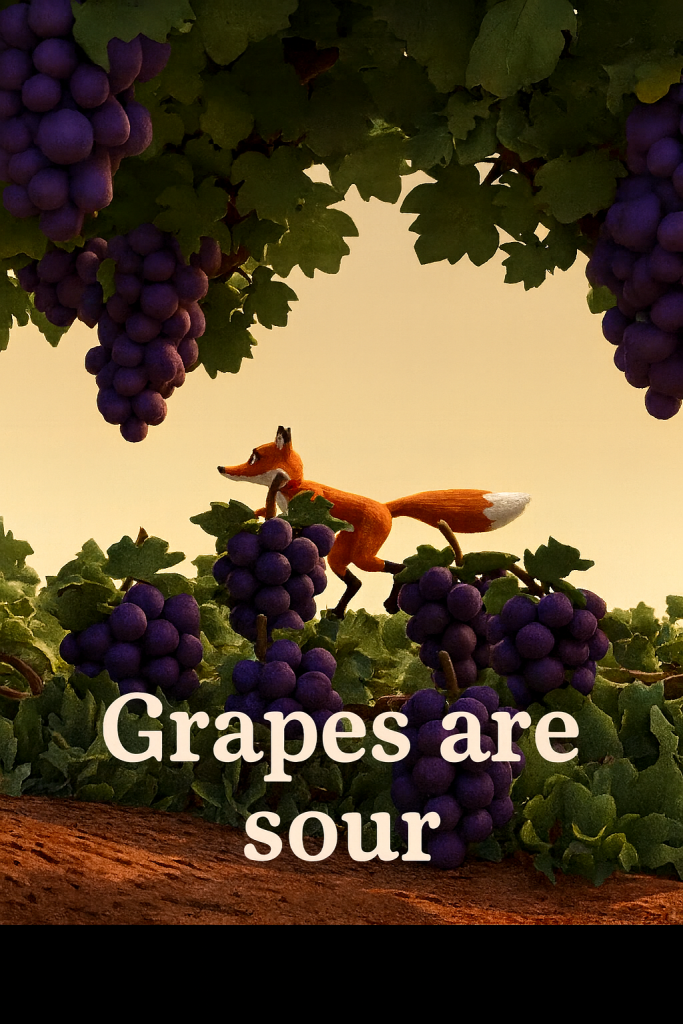
| Text-to-Video (Gen-2/4) | On the dashboard, select "Generate Video" and choose the Text to Video option. | 1. Prompt: Type a specific, detailed description (e.g., "A hungry fox standing on its hind legs trying to reach a vine of purple grapes, Pixar style, sunny day"). 2. Generate: Click "Generate" to create a short clip based on your text. |
| Image-to-Video | Select "Generate Video" and choose the Image to Video option. | 1. Upload: Upload an image of the fox or grapes you created in Leonardo. 2. Prompt (Optional): Add a prompt to guide the motion (e.g., "Make the fox leap upwards"). 3. Generate: Create a short clip that brings your static image to life. |
| Inpainting / Green Screen | Select a video and choose the Inpainting or Green Screen tool. | Inpainting: Use a brush tool to mark an object (like a blurry person in the background). The AI will attempt to remove it and fill the gap. Green Screen: Drop points on a moving subject (like the fox) to automatically isolate it, letting you change the background later. |
2. Leonardo (AI Image Generation)
Leonardo is your best tool for creating the high-quality, illustrative images that you can later animate in Runway.
| Core Use | How to Start | Quick Steps |
|---|---|---|
| Image Generation | Navigate to "AI Image Generation" from the left sidebar. | 1. Prompt: Enter your description (e.g., "A stylized, high-detail portrait of a determined cartoon fox, cinematic lighting"). 2. Select Model/Preset: Choose a Preset (like Cinematic, Illustrative, or Anime) and a specific Style to guide the visual aesthetic. 3. Settings: Adjust the Aspect Ratio and Number of Images to generate. 4. Generate: Click to create your still images/concept art. |
| Image Guidance | Used to turn a simple sketch into a detailed image. | 1. Sketch: Upload a simple drawing (e.g., a stick figure fox) or use the sketch tool. 2. Prompt: Add a detailed text description. Leonardo transforms the sketch into a realistic or stylized image based on your prompt. |
3. ElevenLabs (AI Voice-Over)
ElevenLabs is the industry standard for creating realistic, expressive human-like speech for your narrative voice-over.
| Core Use | How to Start | Quick Steps |
| Speech Generation | Go to the "Speech Synthesis" page from the main menu. | 1. Text Input: Type or paste your script (e.g., "The hungry fox trotted through the vineyard..."). 2. Choose Voice: Select a voice from the Voice Library that fits the tone of your story (e.g., British accent, deep tone, etc.). 3. Adjust Settings: Adjust the Stability (controls expressiveness) and Clarity (controls voice smoothness) sliders. 4. Generate: Click "Generate" to create the audio file. Download the file to use in InShot. |
| Emotional Control | Use special audio tags within your script. | Example: [whispers] I never knew it could be this way, but I'm glad we're here.. You can use tags like [laughs], [curious], or [sighs] to direct the vocal delivery. |
4. InShot (Mobile Video Editor)
InShot is a popular, fast mobile editor perfect for combining all your assets and formatting for YouTube Shorts or Reels.
| Core Use | How to Start | Quick Steps |
|---|---|---|
| Final Assembly | Open InShot and tap "Video" to create a new project. | 1. Import: Select all your Runway video clips and your ElevenLabs audio file. 2. Canvas: Tap the "Canvas" tool to set the vertical (9:16) aspect ratio required for Shorts/Reels. 3. Trim & Split: Use the "Trim" and "Split" tools to cut the AI clips to match your voice-over timing. 4. Add Music: Add background music using the "Music" tool. |
| Text & Captions | Tap the "Text" tool. | 1. Overlay: Add your modern "POV" title text. 2. Style: Customize the font, color, and animation of the text to make it pop. 3. Keyframes: Use Keyframes to animate the movement or zooming of your clips or text for a more dynamic feel. |
You now have a powerful workflow: Leonardo for stills/concepts, Runway for animation, ElevenLabs for voice, and InShot for final editing and polish.
Submission Review & Analysis
AI Coach (asks anything about this submission)
Community Feedback
- No feedbacks yet