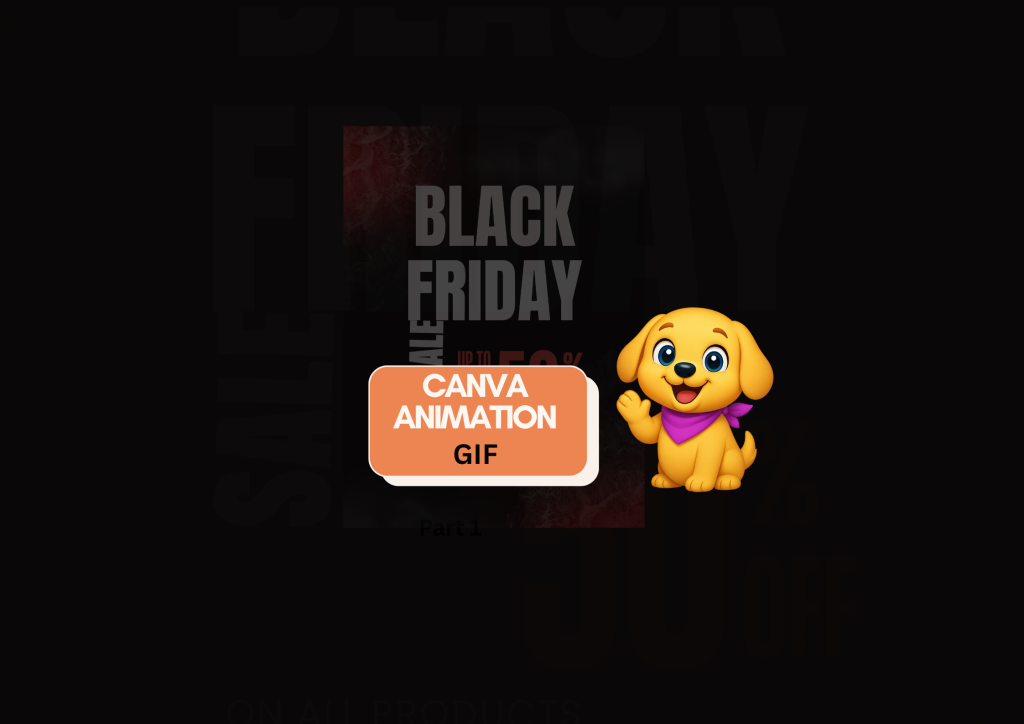
Black Friday Canva Animation

Diamond AI Content Creation Hackathon
Pooja • Digital Marketer, Freelancer
Tools: Canva
Description: I created this content to show how easily you can turn any Canva design into a fun, eye-catching GIF—perfect for Black Friday promos.

Detailed Description

This content was created to demonstrate how quickly and creatively you can transform any static Canva design into a high-impact animated GIF—perfect for Black Friday promotions. The goal of this tutorial-style post is to help creators, small businesses, and marketers add movement, energy, and attention-grabbing visuals to their designs without needing advanced editing skills.

By breaking down the animation process into simple steps, this content shows how Canva’s built-in tools can turn ordinary layouts into dynamic, scroll-stopping GIFs within seconds. Whether someone is promoting a sale, boosting engagement, or looking to make their graphics more interactive, this guide gives them an easy way to elevate their visuals instantly.

I created this piece to inspire designers to experiment with motion, improve their promotional content, and make their Black Friday campaigns more visually compelling and professional.

Loading AI Review…
Booting AI Coach…

Submission Review & Analysis

✨ Summary: This submission showcases a tutorial on transforming Canva designs into animated GIFs for Black Friday promotions, aimed at enhancing visual appeal for marketing. 💪 Strengths: ✅ Clear focus on a relevant topic for the Black Friday season. ✅ Demonstrates practical use of Canva's tools for animation, making it accessible for users. ✅ Encourages creativity and experimentation among designers and marketers. ✅ Provides a quick and effective method to enhance promotional content. 🧑‍💻 Gaps / Risks: ✅ The demo URL is a social media link, which may not effectively showcase the tutorial process. ✅ Lacks detailed visual examples or step-by-step instructions in the submission itself. ✅ Potential for audience confusion if they are unfamiliar with Canva's interface. ✅ May not address varying skill levels among users, limiting its accessibility. 🚀 Actionable Next Steps: ✅ Consider creating a dedicated video tutorial or step-by-step guide to accompany the demo. ✅ Include screenshots or GIFs of the animation process within the submission for clarity. ✅ Provide tips for users with different skill levels to ensure broader accessibility. ✅ Encourage feedback from viewers to refine future tutorials based on user experience. ✅ Promote the content through relevant channels to reach a wider audience during the Black Friday period.
Smart AI Review. Work on each pointer shared to make your project perfect.

AI Coach (asks anything about this submission)

Hey! I’ve gone through the submission. Ask me anything — gaps to fix, better tools, next steps, whatever you need.

Community Feedback

  • No feedbacks yet
Created with ❤️ by Growthyfai