-

 177
Gems
177
Gems
 154480
Points
154480
Points
“Meet Whisk: The Google Labs AI Tool Turning Your Photos into Creative Masterpieces”
1. Introduction – Why This Matters
Imagine you could take any photo—your pet, a city skyline, or a doodle—and turn it into a brand-new image with style, scene and flair—all with a few clicks. That’s exactly what Whisk enables. The creative barrier for visuals is dropping fast—if you know how to use the right tool.
In an age where everyone’s sharing visuals, social posts, blog content, YouTube thumbnails, or product mock-ups, a tool like Whisk becomes a real asset.2. What is Whisk?
-
Whisk is an experimental image generation tool from Google Labs.
-
Unlike text-to-image tools that require you to craft detailed prompts, Whisk allows you to upload images (or pick them) as inputs: a subject image, a scene image, and a style image.
-
Then Whisk uses Google’s AI models (such as the Imagen 3 image-generator and the Gemini language model) to generate a new image that captures the “essence” of your uploads rather than just copying them.
-
The tool is currently experimental and available (at least initially) in selected regions (e.g., US) via Google Labs.
3. How to Use Whisk – Step-by-Step
Here’s a simple walk-through you can send to friends:
Step 1: Visit the Whisk interface (via Google Labs).
Step 2: Choose your subject image (e.g., your dog, a building, a character).
Step 3: Choose your scene image (e.g., beach background, cityscape, fantasy world).
Step 4: Choose your style image (e.g., plush-toy look, enamel pin, retro, sticker-style).
Step 5: Let Whisk process it—the AI writes a caption for your inputs and then generates the new image.
Step 6: Review the result. You may refine it by editing text prompts or uploading different style/scene images.
Step 7: Download the image and use it for your project—blog header, social post, concept art, merch design, etc.4. Where & Why You Should Use It
✅ For Creators & Bloggers
-
Eye-catching blog images: Instead of generic stock photos, use Whisk to generate unique visuals tailored to your niche.
-
Social media posts: Custom artwork stands out in feeds.
-
Thumbnails / channel art: Use the style upload to match your brand look.
✅ For QA/Testing/Professional Use (relevant to you)
-
Mock-ups and concept visuals: Generating unique UI/UX sketches for testing ideas.
-
Test data: Use in training simulations where visuals matter (e.g., mobile apps, UI screens).
-
Documentation: Create playful visuals for reports, workshops, or training decks (you have 11 years in manual testing; this adds a creative layer).
✅ For Business & Marketing
-
Merchandise visuals: Plushie/pin style images for brand swag.
-
Campaign assets: Fast visual ideation without hiring a designer.
-
Innovation stories: Use it internally to show how your team is experimenting with AI tools.
5. Pro Tips to Get the Best Results
-
Be specific in the style: If you want “retro 80s neon poster”, upload a style image that shows that.
-
Use high-quality uploads: Clear, well-lit subject and scene images improve results.
-
Experiment iteratively: Generate many variants, pick what you love.
-
Understand that outputs capture “essence”: Your subject might change in minor ways (height, pose, lighting). Worth refining.
-
Respect usage rights: Because Whisk is experimental, check Google’s terms for commercial use if you plan to monetize.
6. Limitations & Things to Watch
-
It’s not perfect: The tool is more for exploration than pixel-perfect production right now.
-
Regional availability: May be limited to certain countries at the moment.
-
Ethical considerations: Generated images might inherit biases or unexpected traits. Use responsibly.
-
Ownership & rights: If you use images for clients or commercial, verify the licensing/terms.
7. Conclusion – Why This is Big
In a world flooded with visuals, being able to generate unique and personalized graphics fast is a game-changer. Whisk lowers the barrier for anyone—even those without design skills—to create compelling visuals.
For you, as a QA professional, this isn’t just a side-tool—it could become part of how you present ideas, document work, or even prototype visual test assets. Share this with your friends, show them what’s possible, and spark a creative wave.8. Shareable Action
🔧 Encourage your friends:
“Try uploading 3-4 images to Whisk today: one of you, one of your favorite scenes, one style. See what it creates, screenshot it, share your result in our group chat. Let’s compare creative mashups!”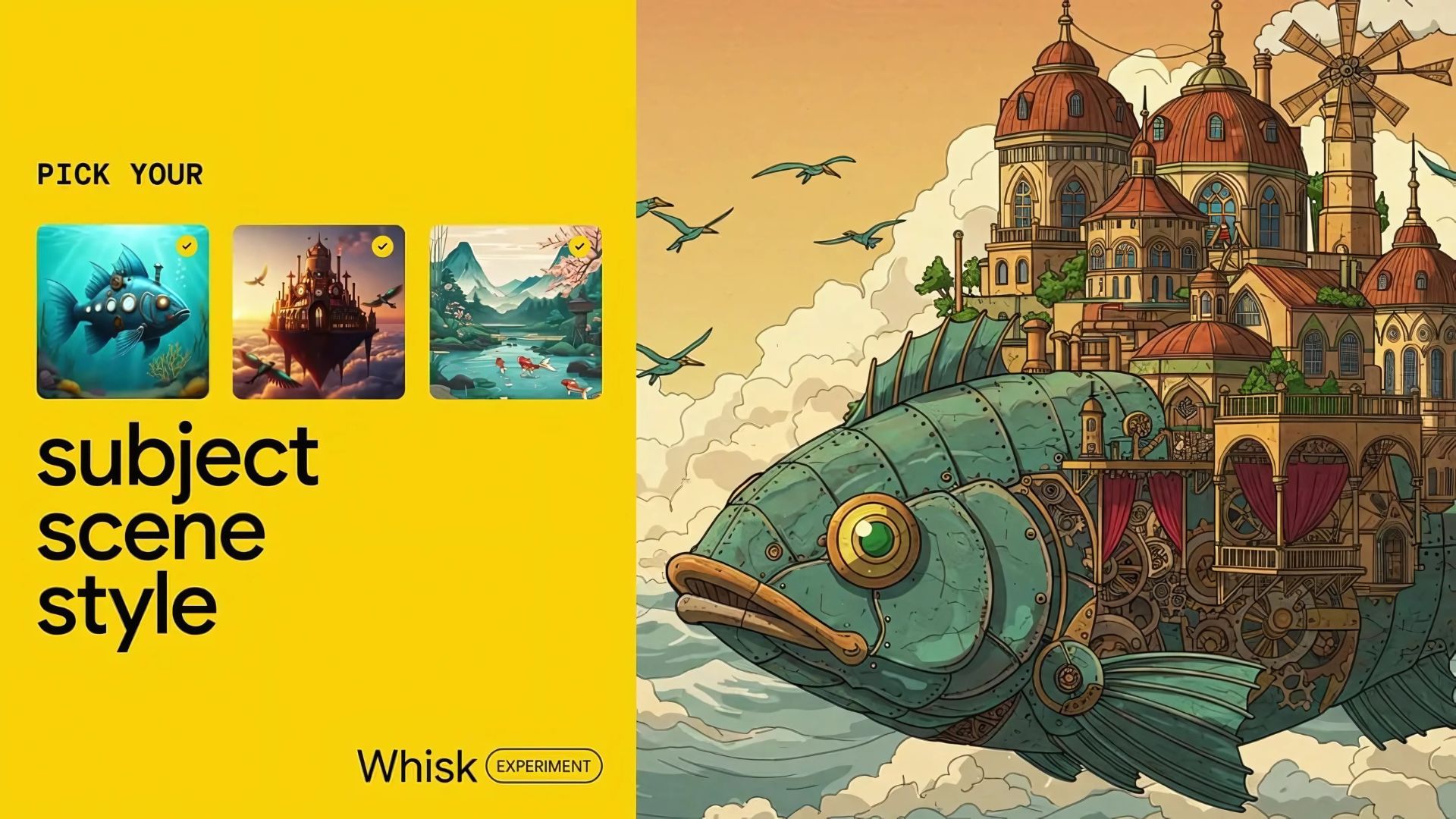
dirox.com
Google's Whisk AI: Transforming Photos into Generative Art
Transform photos into stunning generative art with Google's Whisk AI. This image-to-image tool lets you explore creative possibilities beyond text prompts.
3 Comments-
 177
Gems
154480
Points
177
Gems
154480
Points
Whisk is an experimental AI image tool from Google Labs that uses images as prompts instead of long text prompts
-
 174
Gems
164640
Points
174
Gems
164640
Points
What a powerful innovation from Google Labs.
The concept of combining AI models like Imagen and Gemini for contextual, style-based generation is brilliant. Tools like Whisk will democratize design and help non-creators express ideas visually with ease.-
177
Gems
154480
Points
@chethanjuly1988 Yes you are absolutely correct
-
-


