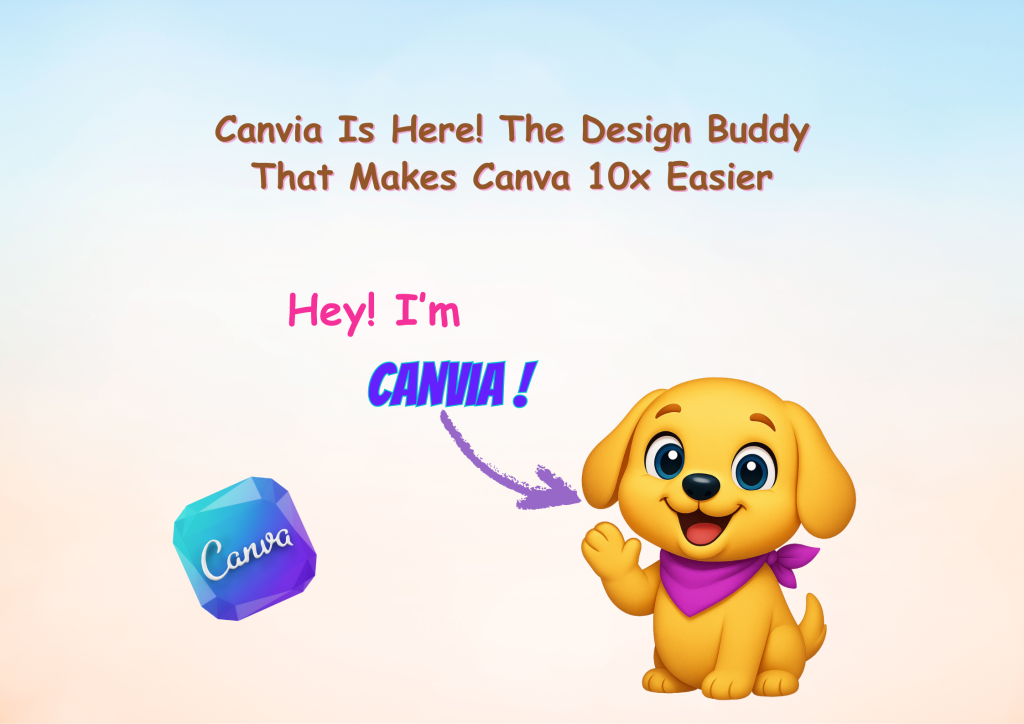
Canvia Is Here! The Design Buddy That Makes Canva 10x Easier
Diamond AI Content Creation Hackathon
Pooja • Digital Marketer, Freelancer
Tools: Canva and ChatGPT
Description: I created this post to introduce Canvia, an design buddy that helps creators work faster and design smarter on Canva.

Detailed Description

This content introduces Canvia, my new design bestie created to help people design smarter, faster, and without the usual creative struggle. Through this post, I wanted to show how Canvia simplifies the entire Canva workflow by offering easy hacks, practical tips, and quick solutions for cleaner, more consistent designs.

As a creator who loves making templates and sharing useful shortcuts, I designed this piece to guide users through effortless designing—whether they’re beginners or seasoned creators. The goal is to make design feel less overwhelming and more enjoyable, especially for those who get stressed by mismatched layouts or messy visuals.

By sharing this content, I aim to empower creators with a friendly buddy, inspire better design habits, and help them elevate their Canva skills with confidence. If design chaos makes your eye twitch too, this post is crafted just for you.

Loading AI Review…
Booting AI Coach…

Submission Review & Analysis

✨ Summary: Canvia is a design assistant aimed at enhancing the Canva experience by providing hacks and tips for more efficient and enjoyable design work. 💪 Strengths: ✅ Clear focus on simplifying the Canva workflow for users of all skill levels. ✅ Offers practical tips that can help reduce design-related stress. ✅ Encourages better design habits, fostering a supportive community for creators. 🧑‍💻 Gaps / Risks: ✅ The demo URL leads to an Instagram page that may not effectively showcase Canvia's features or functionality. ✅ Lack of specific examples or visuals in the description could limit user understanding of Canvia's benefits. ✅ Potential oversaturation of similar tools in the market may make it challenging to stand out. 🚀 Actionable Next Steps: ✅ Create a dedicated demo video or tutorial that visually demonstrates Canvia's features and benefits. ✅ Include user testimonials or case studies to build credibility and showcase real-world applications. ✅ Optimize the Instagram page to focus on Canvia, ensuring it highlights its unique selling points and user engagement. ✅ Consider developing a blog or resource section that provides in-depth guides and tips for using Canvia effectively. ✅ Engage with the community through Q&A sessions or live demos to gather feedback and improve the tool.
Smart AI Review. Work on each pointer shared to make your project perfect.

AI Coach (asks anything about this submission)

Hey! I’ve gone through the submission. Ask me anything — gaps to fix, better tools, next steps, whatever you need.

Community Feedback

  • No feedbacks yet
Created with ❤️ by Growthyfai